Drafta 1.0 has been released
Translated automatically from Russian. Read the original →
Drafta 1.0 comes out today — the first public release of my note editor for macOS. I’m making it for programmers: for those who write notes in Markdown, keep code in them, and don’t want their texts locked in someone else’s database.
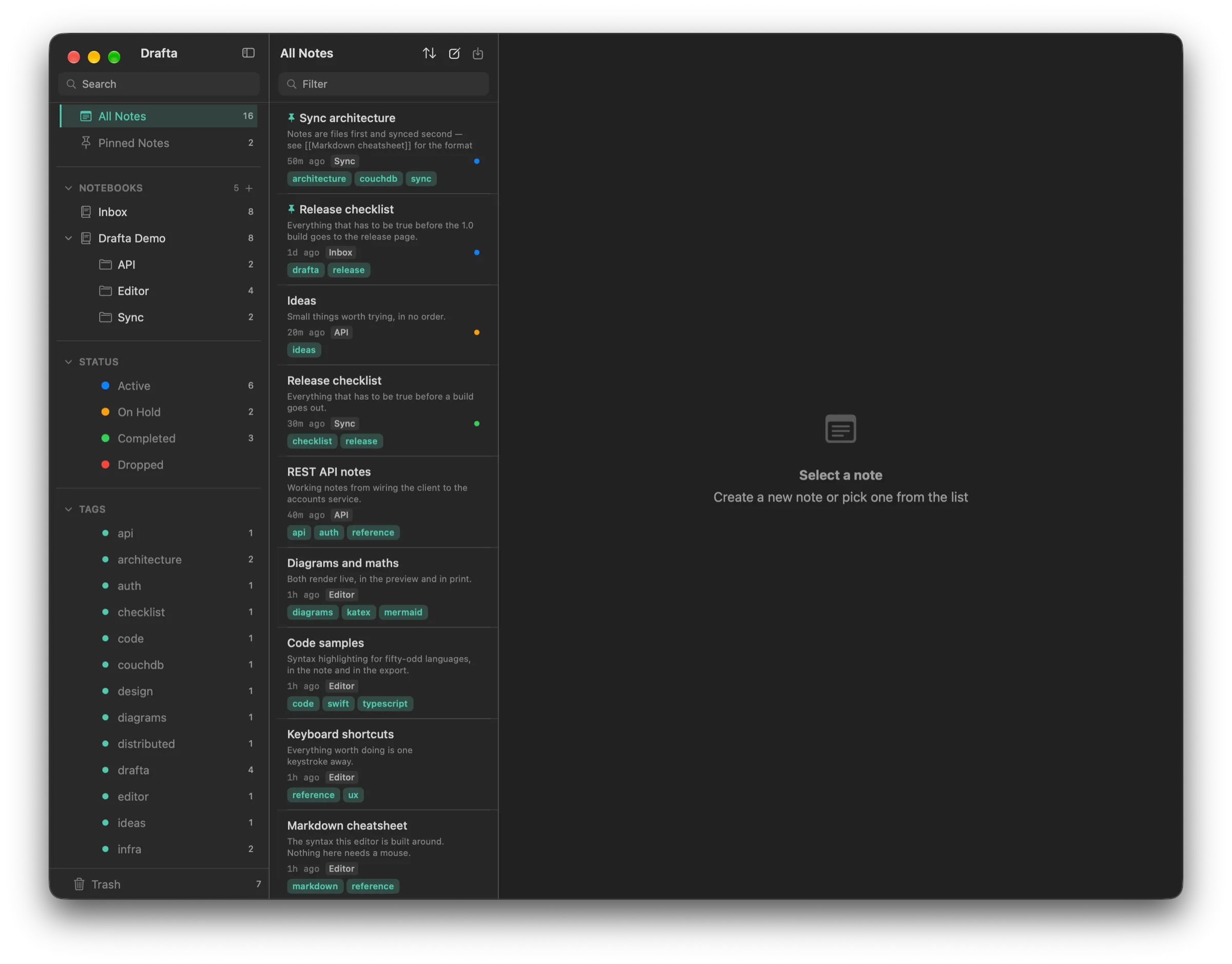
Main window: sidebar with notebooks, statuses, and tags, note list, and space for the editor.
What this app is
Drafta is a native app built with Swift and SwiftUI. It’s not a web app and not an Electron shell. The editor inside is CodeMirror 6 with highlighting for over 50 languages.
Each note is a regular .md file with YAML front-matter on your disk. VS Code will open it, grep will find it, git will accept it. If you stop using Drafta, your notes remain readable files. The app’s source code is open under the Apache 2.0 license.
What’s in 1.0
Editor:
- three view modes — editor, preview, and split with synchronized scrolling;
- live preview of tables, Mermaid diagrams, KaTeX formulas, footnotes, and wiki links;
- table of contents, bookmarks, minimap, focus mode, search with ⌘F.
Library:
- notebooks with unlimited nesting depth;
- tags from text, including nested ones via
/; - four note statuses: Active, On Hold, Completed, Dropped;
- templates, snippets, trash with auto-cleanup, a graph of links between notes;
- up to 30 revisions per note with diff and one-click restore.
Data and integrations:
- sync via Drafta cloud or your own CouchDB, with AES-256-GCM encryption on your Mac;
- export to PDF, DOCX, HTML, and Markdown, import from
.mdand.html; - AI assistant with ⌘J using your own Anthropic, OpenAI, or DeepSeek key;
- built-in MCP server: Claude and other MCP clients read and manage the library;
- eleven built-in themes and custom themes in JSON;
- auto-update via Sparkle, checks once a day.
I’m writing a separate article about each of these parts in this blog. The blog itself is written in Drafta and published directly from it.
Who it’s for
Drafta is for you if:
- you write notes in Markdown and paste code, SQL, configs, and diagrams into them;
- you want your notes to live as files, not as rows in a closed database;
- you work on a Mac with macOS 26 or newer — on Apple Silicon or Intel.
Where to download
The app page is drafta.org. There’s a link to the DMG from the latest release.
- Open the DMG and drag Drafta.app into Applications.
- The build isn’t notarized yet, so macOS will block the first launch.
- Open “System Settings” → “Privacy & Security”, scroll down to the message about Drafta, and click “Open Anyway”.
macOS will ask about this once. After that, updates arrive on their own, and Drafta → Check for Updates… checks for them on demand.
How much it costs
There’s one plan, two billing periods:
| Period | Price |
|---|---|
| Month | $9.99 |
| Year | $95.88 |
The periods differ in how you pay, not in what you get. The plan includes the entire app and cloud sync.
Every new account starts with a 30-day trial, no card required. When the trial ends, Drafta switches to read-only mode: you can open, search, and read notes, while creating, editing, and exporting wait for a plan. Payment isn’t connected yet, so nothing is charged today.
What’s next
- Notarization and Developer ID. Will remove the “Open Anyway” step on first launch. In progress.
- iOS. The iOS target already lives alongside macOS. There’s no release, and I won’t name a date until it’s ready.
- Windows and Linux. A build on Rust and Tauri. Planned but not started: the macOS app comes first.
If you try Drafta 1.0, I want to know what gets in your way and what’s missing.